Welcome to BAR - the Bay Area's premier saltwater hobbyists hub!

Showing reservoir level in Apex Fusion when using DOS but not DDR

Guest
Joined
Jun 24, 2017
Messages
3,811
Finally installed my DOS and configured it. One thing to point out for folks that is you are using a container containing more than 3700ml, the app won't technically recognize and accept the larger volume.

The hack here is you set the container size and starting volume the same and push the update. The widget will then only show 3700ml visually in the DDR icon / widget and remain fixed until the fluid volume fall below the 3700ml line. Not a big deal (and makes sense since likely they hard coded the upper limit of the container since the widget was meant for the DDR). So, it you see this issue, it's normal and just bear in mind that eventually the graphical display and the true fluid volume will catch up.
 

JVU

Past President
BOD
Joined
Feb 12, 2017
Messages
8,320
Finally installed my DOS and configured it. One thing to point out for folks that is you are using a container containing more than 3700ml, the app won't technically recognize and accept the larger volume.

The hack here is you set the container size and starting volume the same and push the update. The widget will then only show 3700ml visually in the DDR icon / widget and remain fixed until the fluid volume fall below the 3700ml line. Not a big deal (and makes sense since likely they hard coded the upper limit of the container since the widget was meant for the DDR). So, it you see this issue, it's normal and just bear in mind that eventually the graphical display and the true fluid volume will catch up.
I might be misunderstanding your issue, but I just now set my total volume to 4000 without changing the current volume, and it updated fine:

1594863845703.jpeg


Of course, it doesn’t visually update right away if you are using the app, for some reason it requires waiting/refreshing to see. Or you can access through http://apex.local/ and it instantly updates.
 
Guest
Joined
Jun 24, 2017
Messages
3,811
I might be misunderstanding your issue, but I just now set my total volume to 4000 without changing the current volume, and it updated fine:

View attachment 17394

Of course, it doesn’t visually update right away if you are using the app, for some reason it requires waiting/refreshing to see. Or you can access through http://apex.local/ and it instantly updates.

That's weird. When I edit the tank size and the fluid volume to 3785, the update pushes fine but when i go back in, the tank size is reset to 3700 as is the graphics
 
Guest
Joined
Jun 24, 2017
Messages
3,811
@JVU figured it out... the container size must end in full hundredths numerically. 100, 3700,3800,4000, etc. for Apex to accept the value. So, 3790 for example won't fly.
 
  • Like
Reactions: JVU

EBJ

Guest
Joined
Feb 6, 2016
Messages
411
I had posted in my tank journal a DIY hack for being able to show a graphic for how much liquid is left in a reservoir that isn’t a Neptune DDR when using DOS as a pump. A member mentioned that when they went back to look for it, they couldn’t find it, and it would have been useful to have a link in the DIY subforum.

So here’s the link:


I hope people find it useful!
Nice, I think that molex connector is the same used for PCI Express graphics power. You could also rip the connectors/wires off an old desktop PC case (ones for the lights/buttons).
 
Guest
Joined
Jun 24, 2017
Messages
3,811
Nice, I think that molex connector is the same used for PCI Express graphics power. You could also rip the connectors/wires off an old desktop PC case (ones for the lights/buttons).
Lol. That was my first attempt... to find old electronics i could savage...but had none
 
  • Like
Reactions: EBJ
Supporting Member
Joined
Feb 27, 2017
Messages
577
This is a great hack! Thanks for sharing!

I’ve always hated DDR, but that meant manual checking of fluid levels. I pinned all three of my DOS units.
 

Attachments

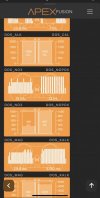
  • 6E060A7B-FEE2-4D25-B3F7-491D811E58B6.jpeg
    6E060A7B-FEE2-4D25-B3F7-491D811E58B6.jpeg
    47 KB · Views: 328
  • Like
Reactions: JVU
Top